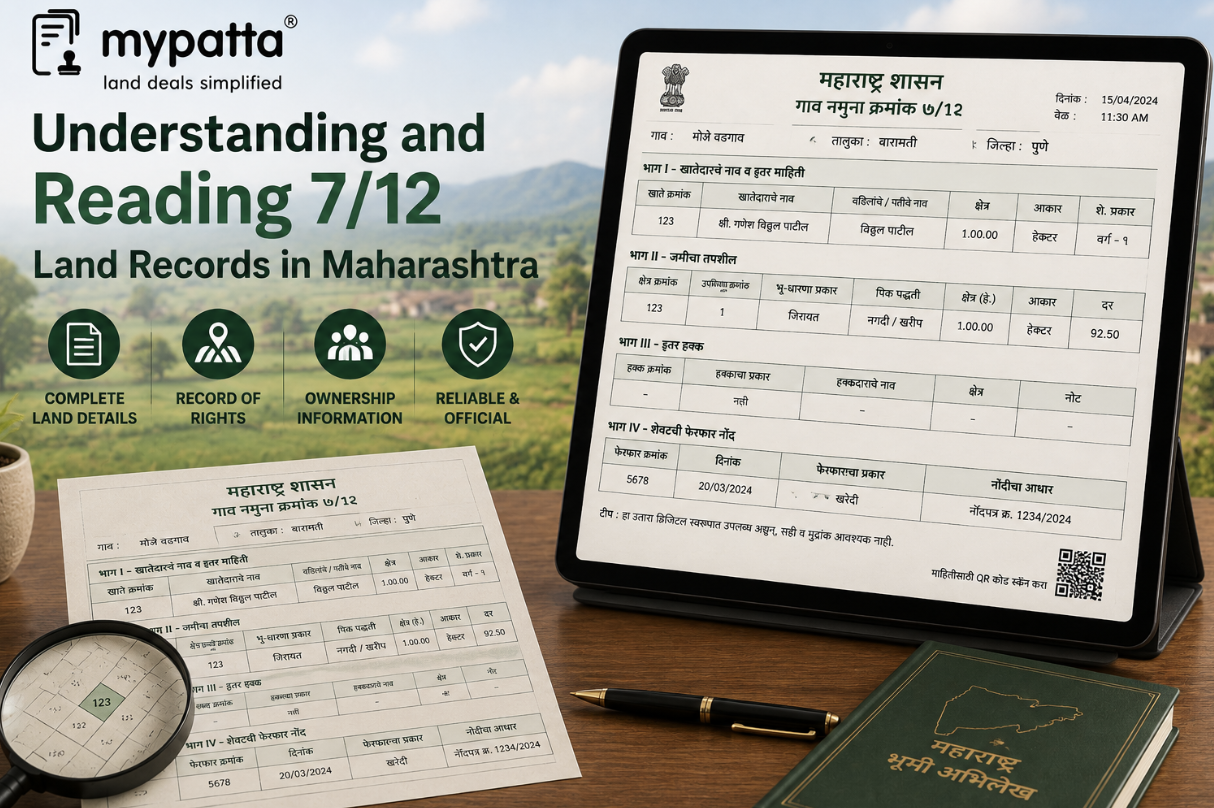
How to download 7/12 & 8A in Maharashtra
You can get the 7/12 & 8A in Maharashtra online easily via mypatta without visiting the Sub-Registrar office.
- Open mypatta and log in or sign up if needed.
- Go to property documents, ensure “Maharashtra” is selected as the state, then tap the “7/12 & 8A” icon.
- Enter required information.
- Tap “Search”
- Once the 7/12 & 8A is available to download, tap “View Document”. You can now save or share or download this document in PDF on your device.
What Is the Difference Between a 7/12 Extract and an 8A Extract?
The 7/12 and 8A are connected village revenue records, but they organise land information differently.
The 7/12 is principally survey-wise or parcel-wise. It connects a particular survey or Gat number with the recorded holder, area, tenure, other rights, crop and cultivation particulars. Maharashtra’s revenue framework treats Village Form 7 as the Record of Rights and Village Form 12 as the crop register; the combined extract is commonly known as the 7/12 or Satbara Utara.
The 8A is principally account-wise or holder-wise. The Maharashtra Land Records Department describes the khata as Village Form 8A, containing the lands entered in the concerned farmer’s name. An official government decision further describes Village Form 8A as the register of landholdings and requires its area particulars to correspond with the related entries in Village Form 7.
| Point of comparison | 7/12 extract | 8A extract |
|---|
| Main organisation | Survey or Gat number | Khata or landholder account |
| Main purpose | Shows the revenue and agricultural position of a particular parcel | Consolidates lands recorded under the concerned account |
| Typical details | Holder, area, tenure, other rights, crop and cultivation entries | Khata number, holder and lands or areas linked with that account |
| Best used for | Examining one specific parcel | Examining the holder’s combined village-level land account |
| Main risk if checked alone | May not reveal every parcel linked with the holder’s account | May not provide the full parcel-level cultivation and other-rights details |
A landholder may have several survey or Gat numbers appearing under one 8A account. Each individual parcel may have its own 7/12. Conversely, a single 7/12 may contain several joint holders whose respective account details require examination through the 8A and connected mutation records.
Neither record is a substitute for the registered deed or other legal source through which rights were acquired.
When Should You Check the 7/12 and 8A Together?
The 7/12 and 8A should be checked together whenever the identity, area or recorded interest in agricultural land is material.
This is particularly important during:
- purchase or sale of agricultural land;
- inheritance and succession verification;
- family partition;
- mortgage or agricultural loan processing;
- correction of area or holder details;
- verification of several plots owned in one village;
- checking whether a mutation was fully incorporated; and
- examination of joint or fractional holdings.
The two records should broadly correspond regarding the holder’s name, khata number, survey or Gat numbers and area. Maharashtra’s official instructions recognise the need for consistency between the land-area columns in Village Forms 7 and 8A.
Check whether every parcel is included
Suppose an 8A account shows three Gat numbers in a person’s name, but only two 7/12 extracts are produced for a proposed transaction. The missing parcel should be identified and its status checked rather than assuming that the documents are complete.
Similarly, a seller may produce a 7/12 for one parcel while the 8A indicates that the land forms part of a wider joint account.
Compare the areas
Differences may arise because:
- the 7/12 shows the entire Gat area while the holder owns only a share;
- the 8A has not incorporated a recent subdivision;
- a mutation was certified in one record but not fully carried into the other;
- cultivable and uncultivable areas were recorded differently;
- an old handwritten record was incorrectly digitised; or
- the wrong khata or survey number was selected.
Mahabhulekh expressly advises citizens to seek correction where the online and handwritten 7/12 differ in the total area, unit, holder’s name or holder’s area.
Check joint holdings carefully
Where several persons are recorded, the 8A may help identify the account in which the joint land is maintained, while the 7/12 shows the holders and rights affecting the individual parcel.
Neither document should be read as granting one co-holder exclusive rights over the entire land unless the partition, shares and subdivisions support that conclusion.
How to Download a 7/12 Extract Online in Maharashtra
Maharashtra provides two distinct online routes: one for viewing land-record information and another for obtaining digitally signed copies.
Viewing the record on Mahabhulekh
Mahabhulekh permits citizens to view the 7/12 and 8A by selecting the relevant record type and identifying the district, taluka, village and property or holder details. For a 7/12, the record can be searched using the survey or Gat number or the recorded name.
This route is useful for:
- preliminary checking;
- identifying the correct survey or Gat number;
- reviewing the displayed holder details;
- locating the relevant khata; and
- deciding which certified records are required.
However, the Mahabhulekh portal expressly states that the information displayed there cannot be used for government or legal purposes.
Obtaining the digitally signed copy
For formal reliance, Maharashtra provides the Digital Satbara portal for digitally signed 7/12, 8A and Property Card records. The service currently permits regular or OTP-based login and provides a download facility for digitally signed land-related documents.
The process can be understood briefly as follows:
- Identify the correct village, survey or Gat number, or khata.
- Access the official digitally signed land-record service.
- Use the available login method and maintain the required document balance or payment.
- Select the appropriate record and property.
- Download and retain the issued digitally signed document.
- Verify it through the official verification-number service.
The property details should be checked before obtaining the record. Downloading a genuine document for the wrong village, Gat number or khata will not assist with the intended property.
The official Mahabhumi portal also lists digitally signed 7/12, 8A, Ferfar, Property Card and archived eRecords among its land-record services.
What Is a Digitally Signed 7/12 Extract?
A digitally signed 7/12 is an electronic Record of Rights issued through Maharashtra’s authorised land-record portal and authenticated through the Government’s digital-signature system.
The Digital Satbara portal expressly states that digitally signed 7/12, 8A and Property Card documents can be used for all official and legal purposes. It also states that the information is updated and that obtaining the record does not require a physical visit.
This distinguishes it from:
- a screenshot of the Mahabhulekh display;
- a browser printout of the free online view;
- an edited PDF;
- a photocopy without authentication; or
- a document downloaded from an unofficial website.
A digitally signed record should ordinarily contain particulars enabling it to be authenticated, including a verification number or similar official identifier.
The digital signature confirms that the document was issued through the authorised system and has not merely been typed or reproduced privately. It does not guarantee that every underlying land entry is legally correct or free from dispute.
For example, an authentic digitally signed 7/12 may still contain:
- a pending correction issue;
- an omitted legal heir;
- a disputed Ferfar entry;
- an incorrect share;
- a title dispute;
- a boundary difference; or
- an unincorporated recent transaction.
Authentication and substantive accuracy are therefore separate enquiries.
How to Verify the Digital Signature on a 7/12 Extract
A digitally signed 7/12 should be verified through the official Maharashtra verification facility rather than relying only on how the PDF appears on screen.
The Digital Satbara service provides a dedicated 7/12 verification facility requiring the document’s verification number. A separate official facility is provided for verifying an 8A extract in the same manner.
Locate the verification number
Identify the verification number printed or displayed on the downloaded document. It should be copied exactly, without omitting digits or confusing similar characters.
Use the correct verification service
The 7/12 number should be checked through the official 7/12 verification facility. An 8A number should be checked through the separate 8A verification facility.
The verification result should correspond with:
- the document type;
- district, taluka and village;
- survey, Gat or khata details;
- holder particulars;
- date or issue particulars; and
- the record downloaded.
Do not rely only on the PDF symbol
A PDF viewer may display a digital-signature panel, certificate icon or validity message. This can provide an additional check, but the official verification-number result should remain the primary method of authenticating the Maharashtra land-record copy.
A document should be treated cautiously where:
- no verification number appears;
- the number produces no matching result;
- the result relates to another property;
- names or parcel details differ;
- pages appear altered or replaced;
- the PDF has been converted into an image; or
- the copy was obtained from an unofficial intermediary without the original electronic file.
Where a document is being submitted to a bank, authority or court, preserve the original downloaded PDF rather than only a printout or screenshot.
How to Check Whether the Downloaded Extract Is Current
A recently downloaded document shows the information available in the system when it was issued. It does not necessarily mean that every later transaction has already been incorporated.
Before treating the extract as current, check whether there has been a recent:
- registered sale or gift;
- death of a recorded holder;
- succession application;
- partition or release;
- mortgage or mortgage discharge;
- court or Revenue order;
- subdivision;
- correction request; or
- land acquisition proceeding.
The Maharashtra mutation-status service permits a search using either the mutation number or registered-document details and displays the deadline for objections to the relevant Ferfar.
Check the latest Ferfar status
A buyer may download a current-looking 7/12 while a sale mutation remains pending. In that case, the seller’s or purchaser’s name on the extract may not reflect the complete present transaction position.
The Ferfar should be checked for:
- entry number;
- reason for mutation;
- affected survey or Gat number;
- earlier and proposed holder;
- status;
- objections;
- certification; and
- final incorporation.
Compare the issue date and transaction dates
If a deed was registered after the date of the downloaded 7/12, the document cannot reflect that later transaction.
Even where the download occurred after registration, mutation may still be under processing.
Review notices and disputes
Maharashtra’s Aapli Chawdi service functions as a digital village notice board for mutation-related notices. The service presently states notified timelines of 30 days for undisputed mutations and 365 days for disputed mutations.
The existence of a pending or disputed mutation should be considered before describing the 7/12 or 8A as final.
Check for discrepancies requiring correction
Where the online and handwritten records differ, the official portal allows the concerned person to seek correction through the applicable e-Hakk mechanism.
The correction should be resolved rather than relying on whichever version supports the desired transaction.
How to Compare the 7/12 and 8A With Ferfar and Other Land Records
The downloaded 7/12 and 8A should be treated as part of a connected land-record set.
Compare them with the Ferfar entry
The Ferfar explains how a change in the holder, share, mortgage or other right entered the revenue record.
Check that:
- the Ferfar is certified;
- the holder’s name was incorporated correctly;
- the same Gat and Hissa numbers appear;
- the area or share matches;
- no affected parcel was omitted; and
- any mortgage or other-rights entry was added or removed as directed.
Compare them with the registered deed
The sale, gift, partition, release or mortgage deed should match the revenue records regarding:
- parties;
- village;
- survey or Gat number;
- Hissa;
- area;
- share; and
- nature of the transaction.
The 7/12 and 8A do not replace the complete registered deed.
Compare them with the map and measurement records
A 7/12 identifies the parcel through textual revenue particulars, but it does not independently establish its precise boundary on the ground.
For boundary verification, examine:
- village map or Mahabhunakasha;
- subdivision or phodi records;
- Tippan and measurement papers;
- fair sketch, where applicable;
- official measurement report; and
- physical boundary marks.
Mahabhumi separately lists map and measurement services because these functions are not performed by the 7/12 or 8A alone.
Compare them with title and encumbrance records
A complete review may also require:
- mother deed and link documents;
- Index II;
- registration search;
- mortgage-release documents;
- court and Revenue orders;
- acquisition records;
- land-use permissions; and
- physical possession verification.
The strongest result exists when the digitally signed 7/12, 8A, certified Ferfar, registered deed, map and physical land all identify the same property and rights consistently.
Why mypatta?
- Trusted by 7 Lakh+ Customers
- 1 Crore+ Documents Delivered
- mypatta Guarantee: Guaranteed delivery or a 100% refund
- 4.8-Star App Rating
Your money is safe with us: Guaranteed delivery or a 100% amount refund.
Frequently Asked Questions
- What is a Mutation Certificate?+
A Mutation Certificate is an official document that records the transfer of property ownership in government records. It is issued by the municipal corporation or revenue department after property ownership changes hands through sale, inheritance, or gift.
- How long does it take to get a GHMC Mutation Certificate?+
The processing time for a GHMC Mutation Certificate typically ranges from 7 to 15 working days, depending on the completeness of your application and the verification process.
- What documents are required for Mutation Certificate?+
You typically need documents such as the sale deed, previous mutation certificate, property tax receipts, identity proof, and address proof. The exact requirements may vary based on your specific case.
- Can I apply for Mutation Certificate online?+
Yes, you can apply for GHMC Mutation Certificate online through the mypatta platform. Simply visit mypatta.in, select Telangana as your state, and choose the Mutation Certificate option.
Shivangi
Real Estate Content Writer
Shivangi is a real estate content writer with 3+ years of experience helping readers understand property documentation, land records, and legal requirements through clear and actionable content.