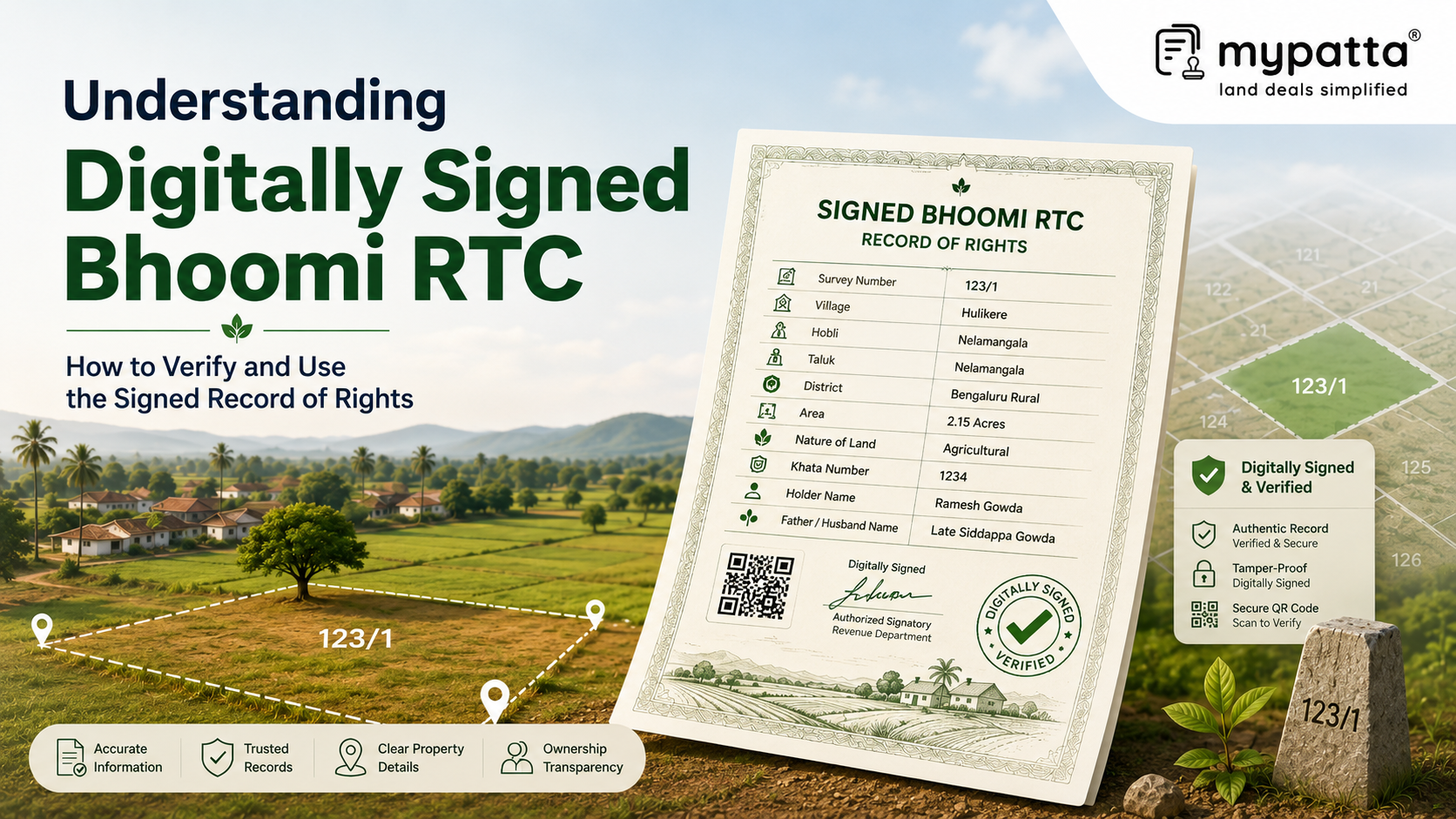
How to Download Signed Bhoomi RTC / Pahani in Karnataka
You can get the Signed Bhoomi RTC / Pahani online easily via mypatta without visiting the Sub-Registrar office.
- Open mypatta and log in or sign up if needed.
- Go to property documents, ensure “Karnataka” is selected as the state, then tap the “Signed Bhoomi RTC / Pahani” icon.
- Enter required information.
- Tap “Search”
- Once Signed Bhoomi RTC / Pahani is available to download, tap “View Document”. You can now save or share or download this document in PDF on your device.
What Is a Digitally Signed Bhoomi RTC?
A digitally signed Bhoomi RTC is an electronic version of the Record of Rights, Tenancy and Crops authenticated through Karnataka’s official Bhoomi system.
The RTC, also known as Pahani, records particulars associated with agricultural land, including the survey number, subdivision, extent, landholder, tenancy, cultivation, crop and revenue-related information. A digitally signed copy contains the same substantive land-record information but is issued in a form that can be electronically authenticated.
Karnataka’s Revenue Commissionerate describes the i-RTC service as a facility through which citizens can obtain an original Record of Rights online. The State separately provides a “View RTC and MR” facility for viewing present and earlier records, which indicates that viewing land data and obtaining the issued i-RTC serve different purposes.
A digital signature is not merely an image of an officer’s handwritten signature. It is an electronic authentication mechanism linked to the document. The Controller of Certifying Authorities explains that a digital signature binds the signatory to the electronic document and can be independently verified through appropriate software.
The digital signature primarily assists in checking:
- whether the electronic document was authenticated through the stated signing system;
- whether the document appears to have been altered after signing;
- the identity or certificate details associated with the signer; and
- the status of the certificate used for authentication.
It does not independently confirm that every underlying land entry is legally correct. A digitally signed RTC may be authentic as a document while still containing an outdated name, an incorrect extent or another revenue-record issue requiring correction.
How Is a Signed RTC Different From an Informational RTC?
An informational RTC is generally a view-only land-record output used to check the details currently available in the Bhoomi database. A digitally issued i-RTC is obtained through the separate official service provided for online RTC printing.
The Karnataka Revenue Department’s unified portal distinguishes between services for viewing RTC and mutation records, viewing RTC information and obtaining an i-RTC through online payment.
| Point of comparison | Informational or view-only RTC | Digitally signed or issued i-RTC |
|---|
| Main purpose | Preliminary viewing and verification of land particulars | Obtaining an authenticated electronic RTC copy |
| Mode of access | Displayed through the RTC viewing or information service | Generated through the official i-RTC issuance service |
| Authentication | May not contain independently verifiable digital-signature data | Expected to contain issuance and authentication features |
| Appropriate use | Personal checking, comparison and preliminary due diligence | Submission or formal reliance where an authenticated RTC is required |
| Verification | Compare the displayed particulars with other records | Verify both the electronic signature and the RTC reference or data |
A screenshot, browser printout or downloaded view of RTC information should not automatically be described as a digitally signed RTC. The nature of the copy depends on the service through which it was generated and whether the electronic file actually carries verifiable authentication data.
Similarly, a printed copy of a digitally signed PDF may display the signature text, reference number or other markers, but the cryptographic signature itself is verified most effectively in the original electronic file. A paper printout cannot reproduce the complete electronic verification process.
The distinction is practical rather than substantive. Both copies may display similar land particulars, but the signed i-RTC provides an additional authentication layer concerning the electronic document’s source and integrity.
What Details and Authentication Features Appear on a Signed RTC?
A digitally signed RTC ordinarily contains the land-record particulars applicable to the selected parcel and period. The exact design may change as Karnataka updates the Bhoomi system, but the document should contain enough information to identify the land and connect the copy with the official record.
The land particulars may include:
- district, taluk, hobli and village;
- survey number, surnoc, hissa or subdivision;
- total extent and the extent recorded against individual holders;
- names of holders, occupants, tenants or cultivators;
- land classification and revenue particulars;
- crop, irrigation and cultivation details;
- mutation references; and
- remarks affecting the land.
The authentication portion should be examined separately from the land particulars. Depending on the format of the issued RTC, authentication features may include the electronic signature block, signer or issuing-authority details, certificate information, date and time of authentication, document or transaction reference and other system-generated identifiers.
Karnataka’s unified Revenue Department portal also provides an RTC XML verification service. The portal states that RTC data can be checked for genuineness by entering the reference number printed on the RTC. This portal-level check is useful for comparing the issued document with the data recognised by the official system.
Two different checks should therefore be kept distinct:
- Digital-signature validation: Checks the electronic signature embedded in the PDF and whether the signed file has been altered.
- RTC data or reference verification: Checks whether the printed reference corresponds with RTC information available through Karnataka’s official verification service.
A successful signature validation confirms the electronic authentication of the document. It does not prove that the recorded landholder has an undisputed title or that no later mutation, court dispute or transaction affects the property.
How to Obtain a Digitally Signed RTC in Karnataka
A digitally issued RTC can be obtained through Karnataka’s official Pahani Online or i-RTC service. The Revenue Commissionerate identifies this service as the online facility for obtaining the original Record of Rights, while the unified Revenue Department portal allows citizens to access i-RTC printing through online payment without requiring a login.
The applicant should keep the following land details ready:
- district;
- taluk;
- hobli;
- village;
- survey number;
- surnoc or subdivision;
- hissa number; and
- the relevant year or period.
Only a brief process is required: the land is identified using its revenue particulars, the relevant RTC is selected, the prescribed payment is completed and the issued electronic copy is obtained.
The property details should be checked before completing the request. A genuine digitally signed RTC may still concern the wrong parcel if an incorrect village, survey number or hissa was selected.
After receiving the document, retain the original electronic PDF. Avoid relying only on a screenshot, converted image or scanned printout because conversion may remove the embedded signature data required for electronic validation.
Where the RTC is being obtained for a loan, registration-related requirement, legal proceeding or institutional submission, the receiving authority’s requirements should also be checked. The authority may require a recent RTC, a digitally authenticated copy or an RTC for a particular revenue year.
How to Verify the Digital Signature on a Bhoomi RTC
The original RTC PDF should be opened in software capable of validating digital signatures. The signature panel or signature properties should then be reviewed to determine whether the signature is valid and whether the document has been modified after it was signed.
The Controller of Certifying Authorities explains that digital-signature verification requires the signer’s certificate and the complete certificate chain up to the trusted Root Certificate. Where the required certificate chain is not available locally, the verification application may be unable to establish trust even though a signature is present.
During verification, check whether:
- the document is shown as signed;
- the signer or issuing details correspond with the stated government authority;
- the signature is reported as valid;
- the document has remained unchanged after signing;
- the certificate was valid when the signature was applied; and
- the certificate chain is trusted by the verification software.
A certificate appearing to have expired on the date of checking does not necessarily invalidate an earlier signature. The CCA states that a signature is assessed with reference to the time when it was affixed; where the certificate was valid at that time, the signature may remain valid.
After checking the PDF signature, the reference number printed on the RTC should be entered into Karnataka’s official RTC XML verification service. The displayed data should correspond with the document’s survey number, owner or holder details, extent and other material particulars.
The following should therefore be treated as warning signs:
- the PDF contains no signature panel or authentication data;
- the document is marked as modified after signing;
- the signer is unrelated to the stated issuing authority;
- the certificate is revoked or invalid;
- the portal does not recognise the RTC reference number; or
- the official verification result differs from the downloaded document.
What Should Be Done if the Digital Signature Cannot Be Validated?
Failure to validate a digital signature does not always mean that the RTC is false. The failure may arise from the document, the certificate chain, the PDF software or the manner in which the file was downloaded or converted.
First, confirm that the original PDF is being checked. A scanned copy, image, browser preview, messaging-app version or “print to PDF” copy may no longer contain the original embedded signature.
The following measures may help:
- download a fresh copy directly from the official i-RTC service;
- open the document in updated signature-compatible PDF software;
- check whether the complete certificate chain is available;
- confirm that the file has not been edited, combined, compressed or converted;
- use the RTC reference number in the official XML verification service;
- compare the verification result with the particulars printed on the RTC; and
- approach the Bhoomi or Revenue Department help channel where the error continues.
The CCA notes that verification depends on access to the signer’s certificate, issuer certificates and the relevant trust chain. A software warning such as “identity unknown” or “certificate not trusted” may therefore indicate a trust-configuration issue rather than alteration of the RTC.
However, the document should not be treated as properly verified merely because its visual appearance seems genuine. A government emblem, signature image, QR-style marking or official-looking layout cannot replace electronic or portal-level validation.
Where a fresh official download also fails verification, the safest course is to obtain another issued copy and seek confirmation from the Revenue Department before submitting or relying upon it. The Bhoomi Monitoring Cell currently provides official contact details and land-record support through Karnataka’s Revenue Department portals.
Why mypatta?
- Trusted by 7 Lakh+ Customers
- 1 Crore+ Documents Delivered
- mypatta Guarantee: Guaranteed delivery or a 100% refund
- 4.8-Star App Rating
- Your money is safe with us: Guaranteed delivery or a 100% amount refund.
Frequently Asked Questions
- 1. Is every RTC downloaded from the Bhoomi website digitally signed?+
Not necessarily. The portal provides separate facilities for viewing RTC information and obtaining an issued i-RTC. The electronic file should be checked for an embedded, verifiable digital signature before it is described as digitally signed.
- 2. Can a printed copy of a digitally signed RTC be verified electronically?+
The printed copy may display authentication particulars, but the embedded cryptographic signature is ordinarily verified through the original electronic PDF. The printed reference number may still be checked through the official RTC verification service.
- 3. Does a valid digital signature prove that all entries in the RTC are correct?+
No. It authenticates the electronic document and assists in detecting post-signing alteration. Incorrect or outdated land entries may still require comparison with mutation, title and survey records.
- 4. What is the difference between signature validation and RTC XML verification?+
Signature validation examines the electronic signature embedded in the PDF. RTC XML verification uses the reference number printed on the RTC to check the document’s data through Karnataka’s official land-record system.
Shivangi
Real Estate Content Writer
Shivangi is a real estate content writer with 3+ years of experience helping readers understand property documentation, land records, and legal requirements through clear and actionable content.