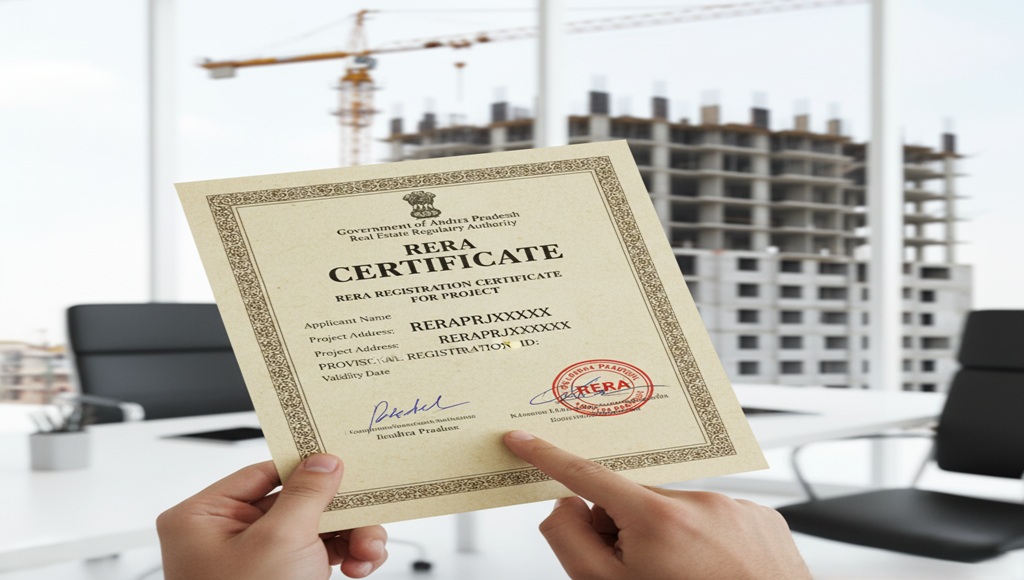
What is a RERA certificate?
A RERA certificate is an official document issued to real estate projects and agents that have been registered under the Real Estate (Regulation and Development) Act of 2016. In Andhra Pradesh, this certificate acts as proof that a builder or developer has fulfilled the required legal formalities before launching or selling a project.
Every registered project is assigned a unique RERA registration number. This number can be used to verify the project's legitimacy, track its approval status, and access builder information , all in one place.
Think of a RERA Certificate as a project's identity card—it tells you who built it, whether it's approved, and when it's expected to be delivered.
Why is a RERA certificate important?
Whether you're a first-time buyer or a seasoned investor, always insist on RERA verification before making any property decision.
- Verify that the project is legally registered and not fraudulent
- Protect yourself from unapproved or stalled construction projects
- Ensure the builder has obtained all necessary approvals
- Access details about project timelines and delivery commitments
- Used as a supporting document during home loan applications
- Builds transparency between buyers, builders, and agents
- Mandatory for real estate agents operating in Andhra Pradesh
How to Check or Download RERA Certificate Online
You no longer need to visit any office or navigate complex portals. With mypatta, verifying a RERA certificate is a simple 3-step process:
Step 1—Visit mypatta and select your state.
Step 2 – Enter project or property details.
Step 3 – Access RERA information instantly.
(View registration status and project details and download or save the certificate.)
While RERA details are available through official channels, navigating them can be time-consuming. That's where mypatta comes in; it simplifies the entire process into one clean, easy-to-use interface.
Why Many Users Prefer This Method
- Instant Results—No waiting. RERA details load in seconds
- Easy Search – Search by project name or registration number
- Downloadable – Save or share the certificate directly
- Mobile Friendly—Works smoothly on phone or desktops
Whether you're a buyer doing due diligence, a builder sharing proof of registration, or an agent verifying credentials , mypatta gives you clean, reliable access to AP RERA certificates without any hassle.
What Details Does the RERA Certificate Contain?
| Field | Description |
|---|
| Project Name | Official name of the registered real estate project |
| RERA Registration Number | Unique ID assigned to the project upon registration |
| Builder / Developer | Name, address, and contact details of the promoter |
| Project Location | Full address, including district and survey number |
| Approval Status | Whether the project is active, lapsed, or under review |
| Project Timeline | Commencement date and proposed completion date |
Frequently Asked Questions (FAQs)
- 1. What details are required to check a RERA certificate online?+
You typically need the project name, builder name, or RERA registration number to access the details quickly
- 2. Can I verify the status of an ongoing project through RERA?+
Yes, you can check whether a project is ongoing, completed, or delayed along with its timeline and current status.
- 3. Does a RERA certificate show project completion timelines?+
Yes, it includes expected completion dates, which help buyers track project progress and delays
- 4. Can NRIs use RERA details before investing in property?+
Yes, NRIs can use RERA information to verify project authenticity and make safer investment decisions remotely.
Verify Your Property. Protect Your Investment.
Don't take chances with your real estate decisions. Use mypatta to instantly check RERA certificate details for any project in Andhra Pradesh fast, reliably, and hassle-free.
Visit mypatta to Check RERA Certificate Online